Appointment Dashboard & Care Provider Schedule
View appointment overview across departments and manage care provider schedules.
Appointment Dashboard
Navigation: OPD → Appointment Dashboard
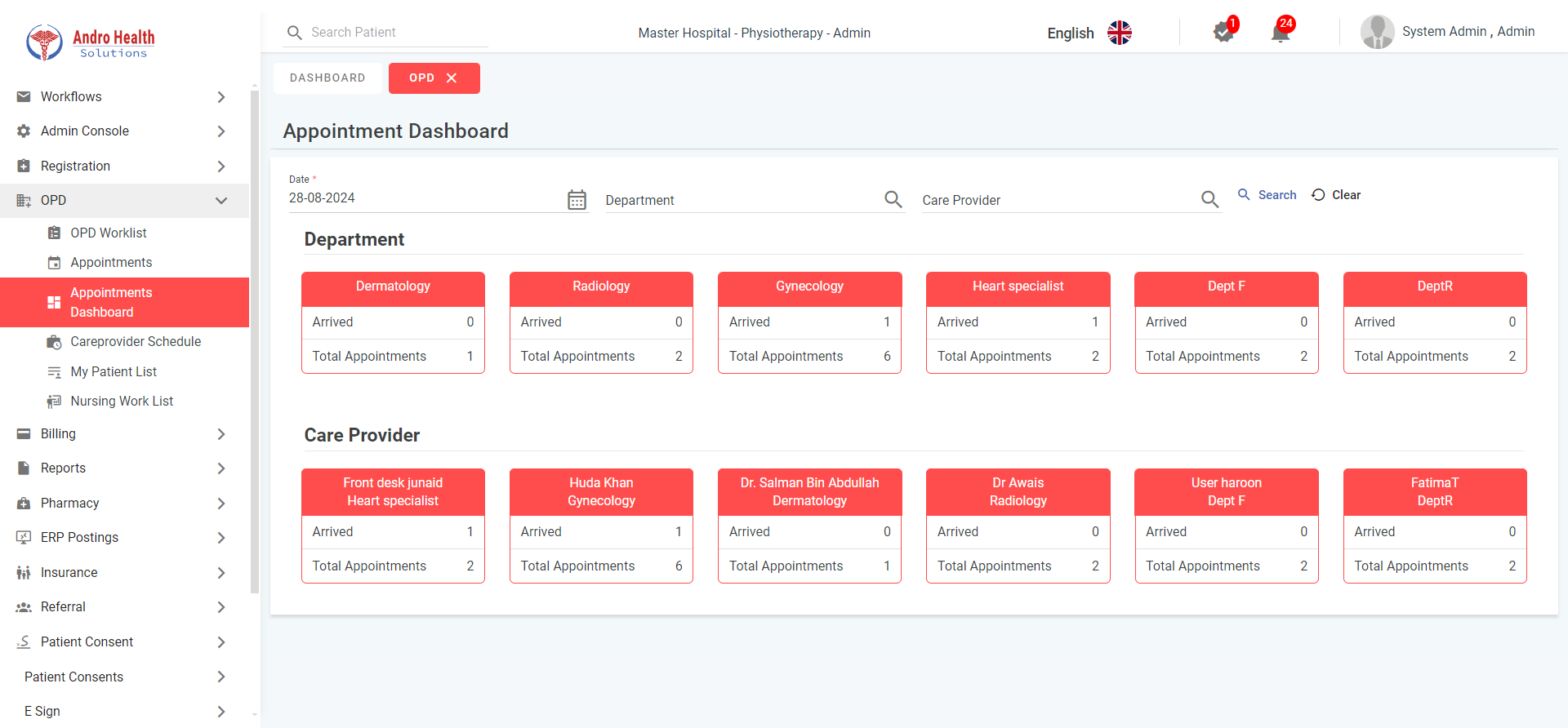
The dashboard provides an overview of appointments across all departments and care providers. It shows:
- Total appointments per department
- Total appointments per care provider
- Arrival status for each provider
Use the filters at the top to narrow by date, department, and care provider.
Care Provider Schedule
Navigation: OPD → Care Provider Schedule
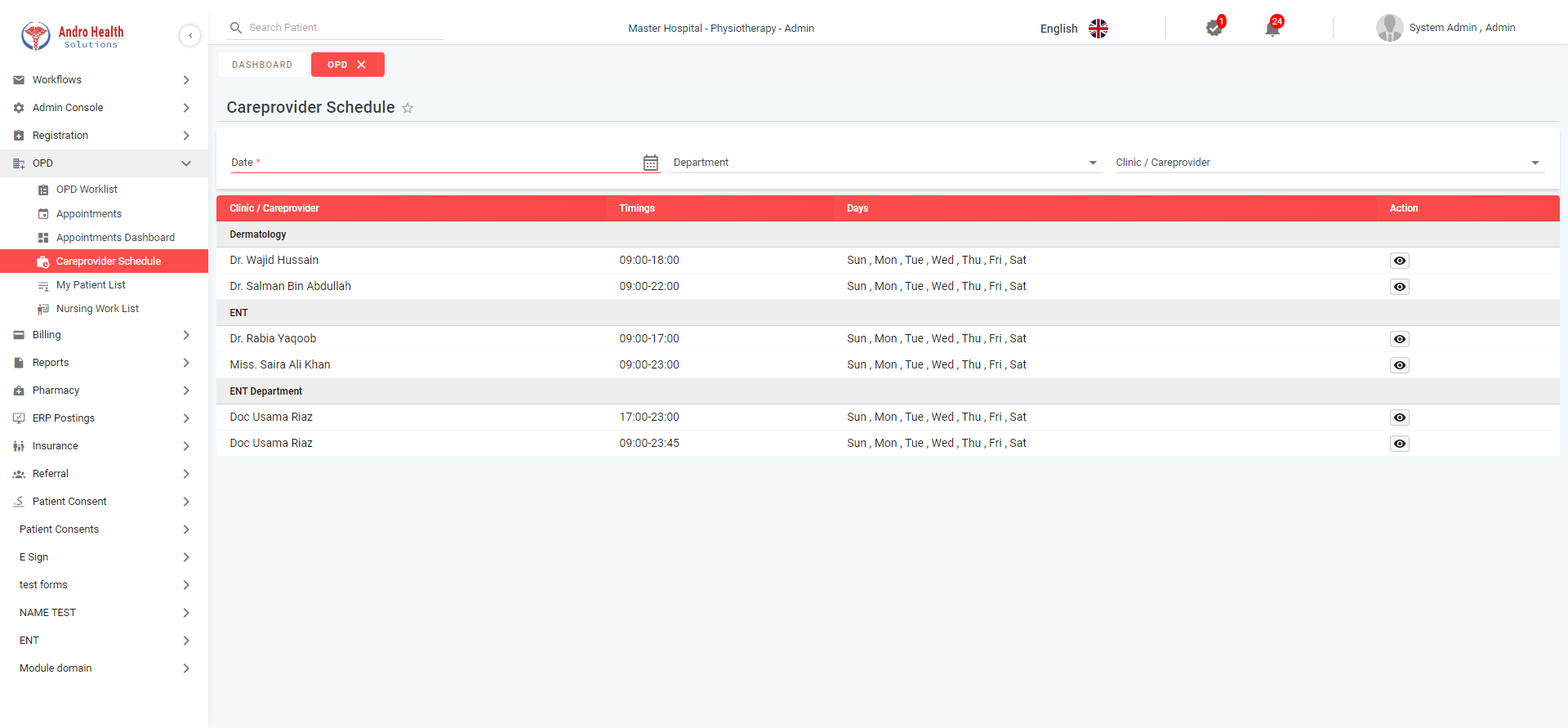
View all active care provider schedules with:
- Doctor name and department
- Working days and timings
- Schedule status
Click on a provider entry to view their detailed schedule in a calendar format.
My Patient List
Navigation: OPD → My Patient List
This is a user-specific view only visible to users with the Care Provider role toggle enabled. It has two tabs:
Upcoming Appointments Tab
Shows today and future appointments for the logged-in care provider. Actions include viewing past encounter details and patient profile summary.
Patient List Tab
All previous patients of this provider with document management capabilities (attach, edit, download, mark confidential).
Nursing Work List
Navigation: OPD → Nursing Work List
Only visible to users with the Nurse role toggle. Shows patients requiring vital sign recording:
- Click the Vital button on a patient row
- A popup opens to enter vital signs
- After saving, the patient is removed from the nursing work list
- Recorded vitals automatically appear in the EMR for the care provider
Common questions
What does the appointment dashboard show?
An overview of appointment activity across departments and care-provider schedules.
Can I manage provider schedules here?
Yes — you manage care-provider schedules from the dashboard.
Can I view appointments by department?
Yes — the dashboard lets you view appointment activity per department.
Was this article helpful?