Appointment Calendar & Booking
AndroHealth TeamJune 17, 20262 min read35 views
Use the appointment calendar to view schedules, book new appointments for existing and new patients.
Appointment Calendar
Navigation: OPD → Appointment Calendar
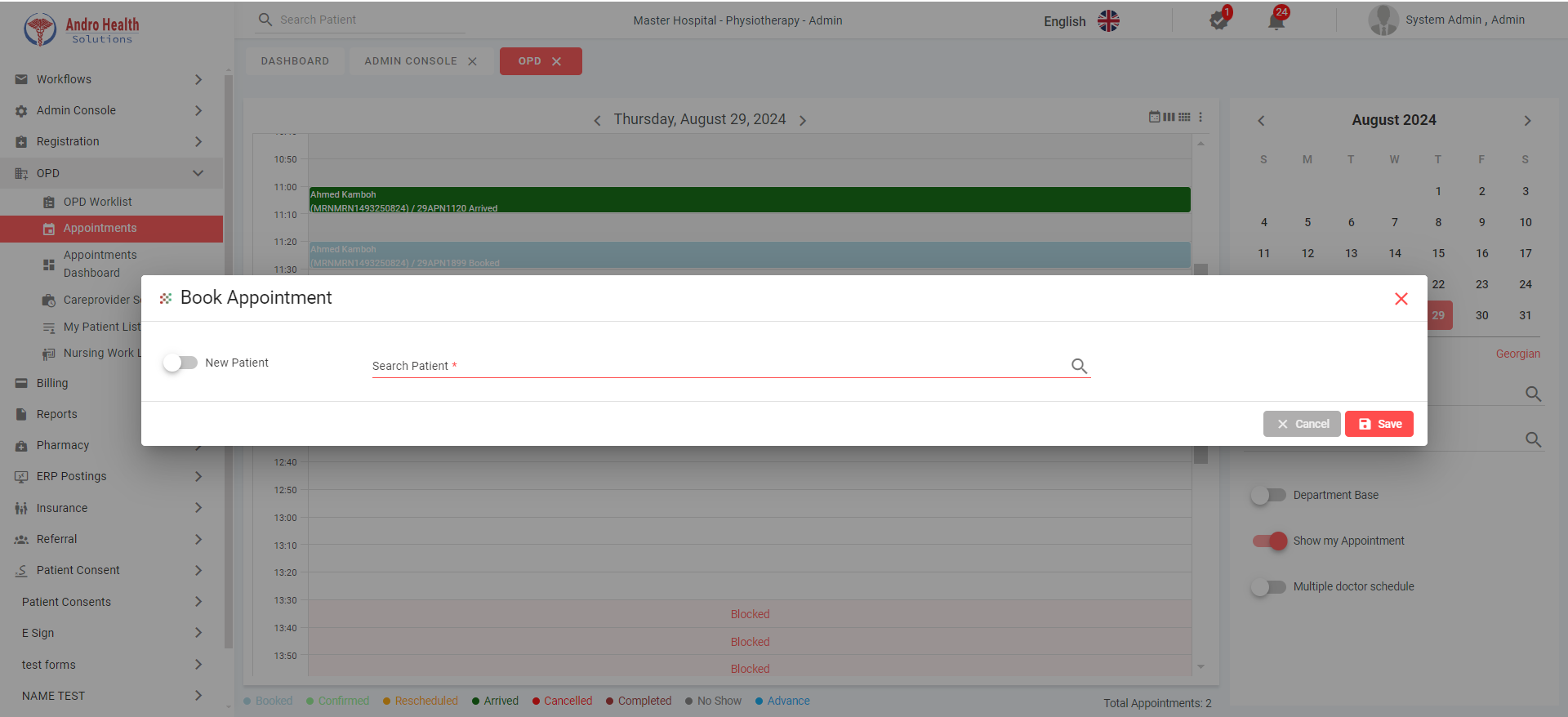
Calendar Views
Three views are available:
- Daily View (default) — Shows time slots for selected doctors
- Weekly View — Week-at-a-glance for scheduling
- Monthly View — Month overview
Department Panel
The right-side panel allows you to:
- Search for departments and doctors
- Select multiple doctors from different departments
- Toggle doctor selection by clicking
Appointment Status Colors
| Status | Color |
|---|---|
| Booked | Blue |
| Confirmed | Green |
| Rescheduled | Yellow |
| Arrived | Dark Green |
| Cancelled | Red |
| No Show | Gray |
| Advance | Light Blue |
Booking an Appointment
For Existing Patients
- Click on the desired time slot in the calendar
- The Book Appointment dialog appears
- Search and select the patient by name or MRN
- Patient data is auto-populated
- Complete the appointment details:
- Date and Time (with calendar picker)
- Department (auto-populated from selected slot)
- Care Provider (auto-populated)
- Visit Type (New Visit, Follow-up)
- EMR Template
- Service Category and Service
- Payment Mode (Self-Pay, Panel Payer, Insurance)
- Priority (Routine, Urgent)
- Status (Booked, Confirmed)
- Click "Save"
For New Patients
- Toggle "New Patient" option in the booking dialog
- Enter patient information (name, DOB, nationality, contact, etc.)
- Complete appointment details as above
- Click "Save"
Conflict Detection
If the patient already has an appointment at the same time, the system displays a warning. You can choose to save anyway or cancel.
Additional Options
- Reminder Message — Custom reminder for the patient
- Mode — In-person or Virtual (video/audio)
- Transport Needs — Toggle if patient needs transport
Date Format
The calendar supports both Hijri and Gregorian date formats. Switch between them using the format toggle.
Common questions
How do I book an appointment?
Open the appointment calendar, pick an available slot, and book it for an existing or new patient.
Can I book for a new patient?
Yes — you can register and book in the same flow from the calendar.
How do I see a provider's availability?
The calendar shows schedules and open slots by provider.
Was this article helpful?