Navigating the System
Overview of the AndroHealth interface — top menu bar, left sidebar, patient search, role switching, and profile settings.
Interface Layout
The AndroHealth interface consists of three main areas:
- Top Menu Bar — Patient search, role switch, language, notifications, and profile menu
- Left Sidebar — Module navigation (varies by your purchased package and assigned role)
- Body Section — Displays the content based on your current selection
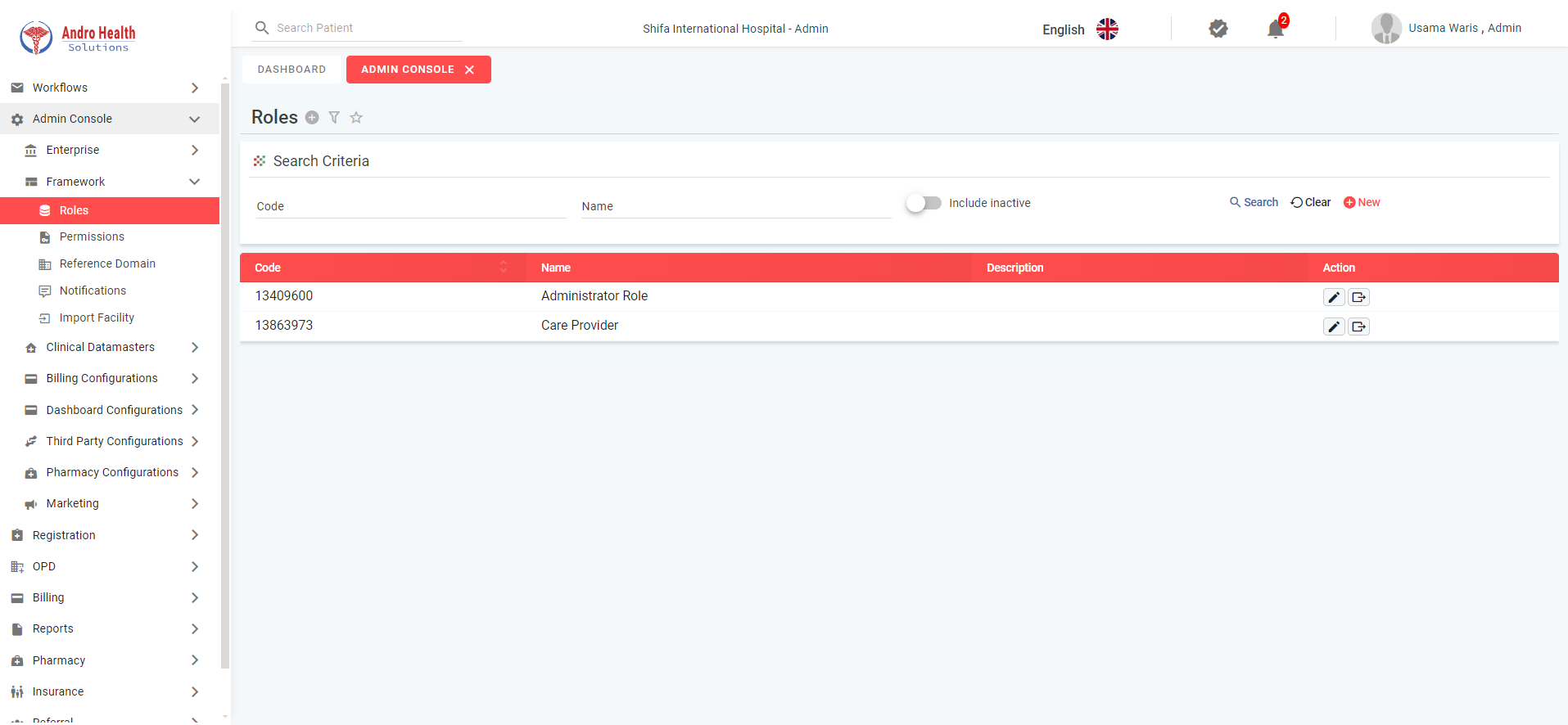
Top Menu Bar
The top menu bar is always visible and provides 5 key functions:
1. Patient Search
The search field on the left allows you to find patients by:
- MRN (Medical Record Number)
- Mobile number
- Patient name
- National ID / Iqama ID
Selecting a patient navigates directly to their profile.
2. Role Switch
If you have multiple roles assigned, click the Role Switch button to open the switch popup. Select a different role and the system will update the interface accordingly.
3. Language Selection
Click the language dropdown to switch between supported languages. The entire interface updates to the selected language.
4. Notifications
Two notification icons provide real-time alerts and workflow notifications. Click each to view details.
5. Profile Menu
Hover over your profile picture to access:
- Profile Setting — Change password, change PIN, view active sessions, set preferences, report issues
- Change Theme — Select a different color theme
- Logout — Sign out of the system
Left Sidebar
The left sidebar shows the modules available to you. Common modules include:
- Admin Console — Enterprise setup, framework configuration
- Registration — Patient registration and management
- OPD — Outpatient department operations
- Billing — Invoices, payments, collections
- Insurance — Eligibility, claims, NPHIES
- Reports — Audit logs and analytics
- Pharmacy — Medicines and inventory
Click any module to expand its sub-components.
Report an Issue
From the profile menu, select "Report Issue" to submit a support request. The form includes fields for title, priority, module, component, image/video upload, and description.
Common questions
How do I search for a patient?
Use the patient search bar at the top — you can search by name, MRN, national ID, or phone.
How do I switch between roles?
Use the role switcher in the top bar to change your active role if you have more than one.
Where do I change my profile settings?
From the profile menu in the top-right corner of the interface.
Was this article helpful?