Insurance Claims Submission
Submit, track, and manage insurance claims through NPHIES — from ready for submission to approval.
Claims Management
Navigation: Insurance → Claim
The Claims screen has 5 tabs:
1. Ready for Submission
Claims awaiting submission to the Health Insurance Company (HIC).
- Search by: Patient MRN, HIC Name, Patient Name, Request Type, Date Range
- Select a claim and click "Send"
- A "Select Priority" popup appears:
- Normal — Standard processing
- Deferred — Lower priority processing
- Optionally upload supporting documents (max 5MB)
- Click "Send" to submit to NPHIES
2. Submitted
Claims sent but not yet processed by NPHIES/HIC. Search by: Request Number, Patient MRN, HIC Name, Pre-Auth Request ID, Claim Request ID, Date Range.
3. Approved
Claims approved by HIC. The "Generate Bill" button is available for completed authorizations.
4. Failed
Claims that failed to process. Available actions:
- View — Show Authorization Details
- Read JSON — View raw FHIR message
- JSON Viewer — Request and Response tabs
- Resend — Resubmit to NPHIES
- Offline Authorization — Manual entry with Authorization Number, Start/End Date, Reason
- Add JSON Response — Manual JSON input
5. Rejected
All rejected claims with detailed search criteria and rejection reasons.
Manual Claim
Navigation: Insurance → Manual Claim
For submitting claims manually, the form has 5 sections:
- Basic Information — Patient, Claim Type, Sub Type, Provider, HIC Name
- Diagnosis — Type, Onset Date
- Supporting Information — Vitals (Weight, BP, Height, Temperature, SpO2, Respiration), General Exam, Treatment Plan, Investigation Results
- Item Section — Item Type, Unit Price, Patient Share, HIC Share, Tax, Service Date
- Summary — Auto-calculated totals
HIC Configuration
Navigation: Admin Console → Billing Configuration → HIC Configuration
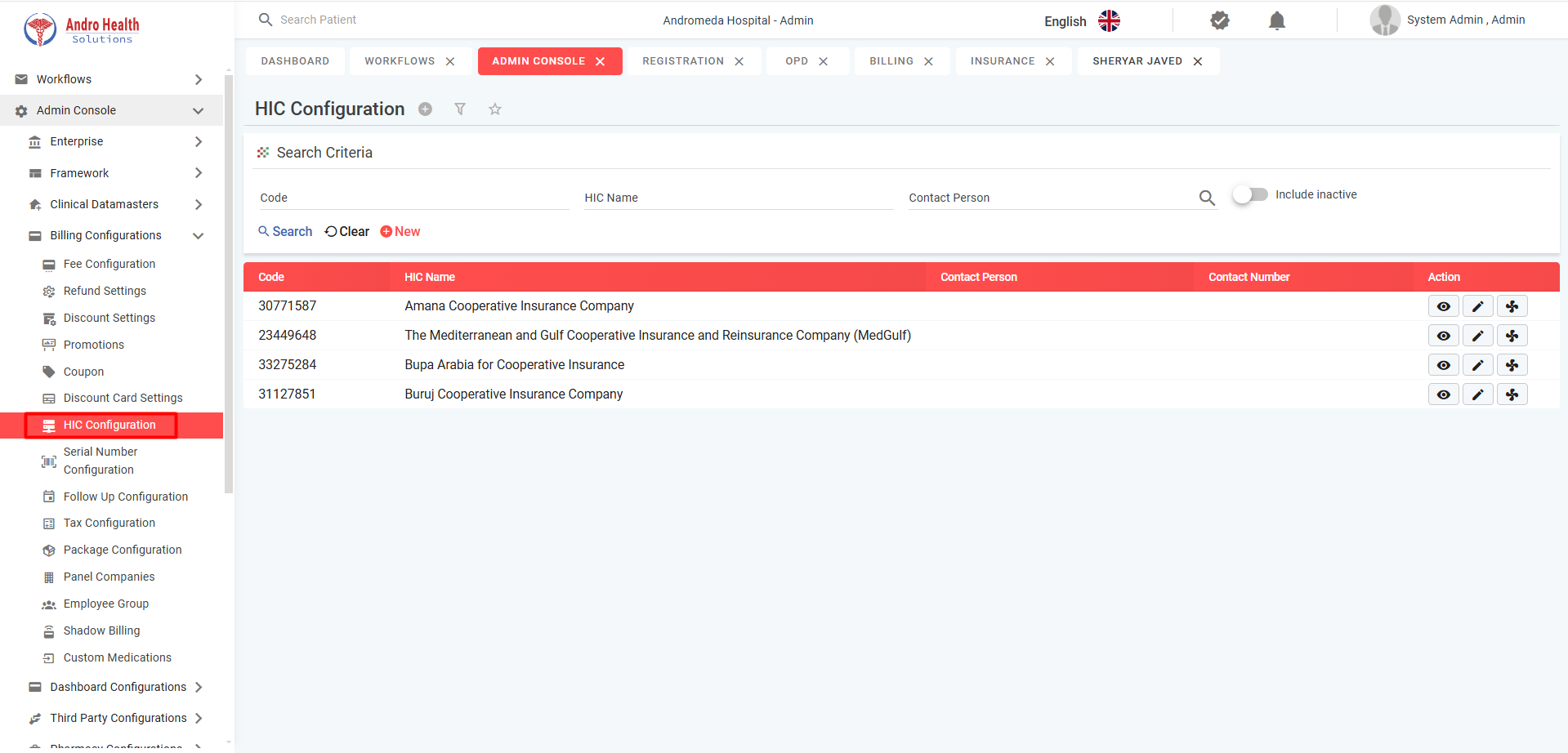
Configure Health Insurance Companies with NPHIES ID, license number, contact information, insurance plans, and price lists.
Common questions
How do I submit an insurance claim?
Through NPHIES — move the claim from ready-for-submission to submitted, then track it to approval.
Can I track a claim's status?
Yes — you can track each claim from submission through to approval.
What is NPHIES?
Saudi Arabia's national platform for insurance eligibility and claims, which AndroHealth integrates with.
Was this article helpful?