Patient Bill & Payments
Create patient bills, process payments via cash, card, bank transfer, and manage advance payments.
Patient Bill
Navigation: Billing → Patient Bill
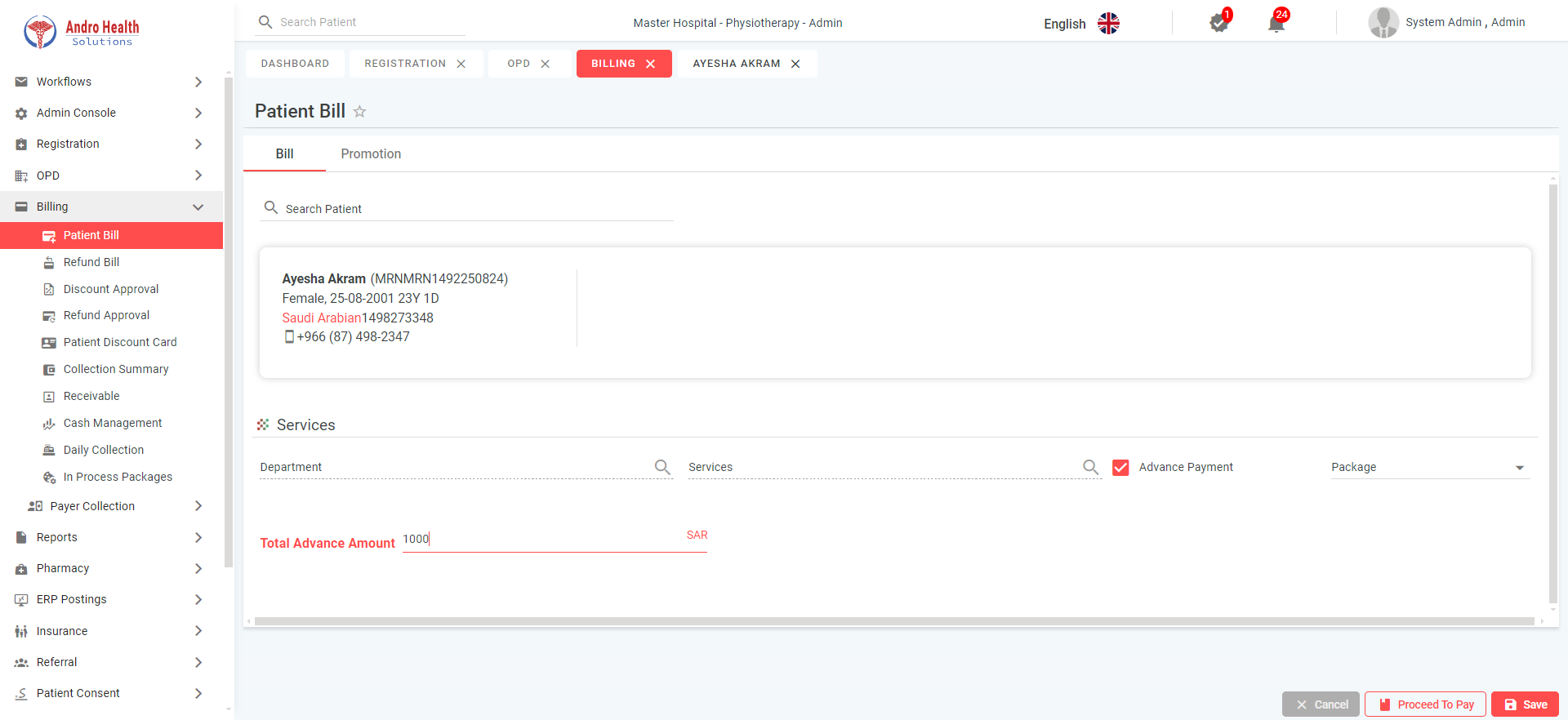
Creating a Bill
The bill screen has two tabs: Bill (default) and Promotions.
- Search and select a patient
- In the Services section:
- Select Department from dropdown
- Select Service from dropdown
- Bill details populate with amounts (excluding insurance/panel covered portions)
- Apply discounts if applicable
- Click "Proceed to Pay" to go to the Settlement screen
Advance Payments
Enable the "Advance Payment" checkbox to accept advance payments. Enter the advance amount and click "Proceed to Pay".
Payment Settlement
The Settlement screen shows the total payable amount with payment mode options:
| Payment Mode | Description |
|---|---|
| Cash | Enter amount received, system calculates change |
| Online Transfer | Bank transfer with reference |
| Debit/Credit Card | Card payment via POS terminal |
| Tabby | Buy-now-pay-later (requires Tabby account) |
| Tamara | Buy-now-pay-later (requires Tamara account) |
Important: Total Payable must equal Total Amount Paid. Click "Pay" to complete.
Success message: "Payment Added Successfully"
Promotions Tab
Shows applicable promotions with an "Applicable" button to apply them to the bill.
Refund Bill
Navigation: Billing → Refund Bill
View and process refunds. Search by date range, MRN, bill number, or visit number.
Discount & Refund Approval
Navigation: Billing → Discount Approval / Refund Approval
Both screens follow the same pattern:
- View pending requests
- Click "View" to see details
- Click "Approve" or "Reject"
Common questions
What payment methods are supported?
Cash, card, and bank transfer, plus advance payments.
Can I take an advance payment?
Yes — you can record advance payments against a patient.
How do I create a patient bill?
From the patient's billing screen, add the services and process the payment.
Was this article helpful?